Managing users with My KPN Business account
If you manage MyKPN Business, you can directly configure user access to the DSH platforms and tenants.
This allows you to add different users and manage their access levels to the DSH platforms.
Onboard users
Take the following steps if you want to onboard a new user:
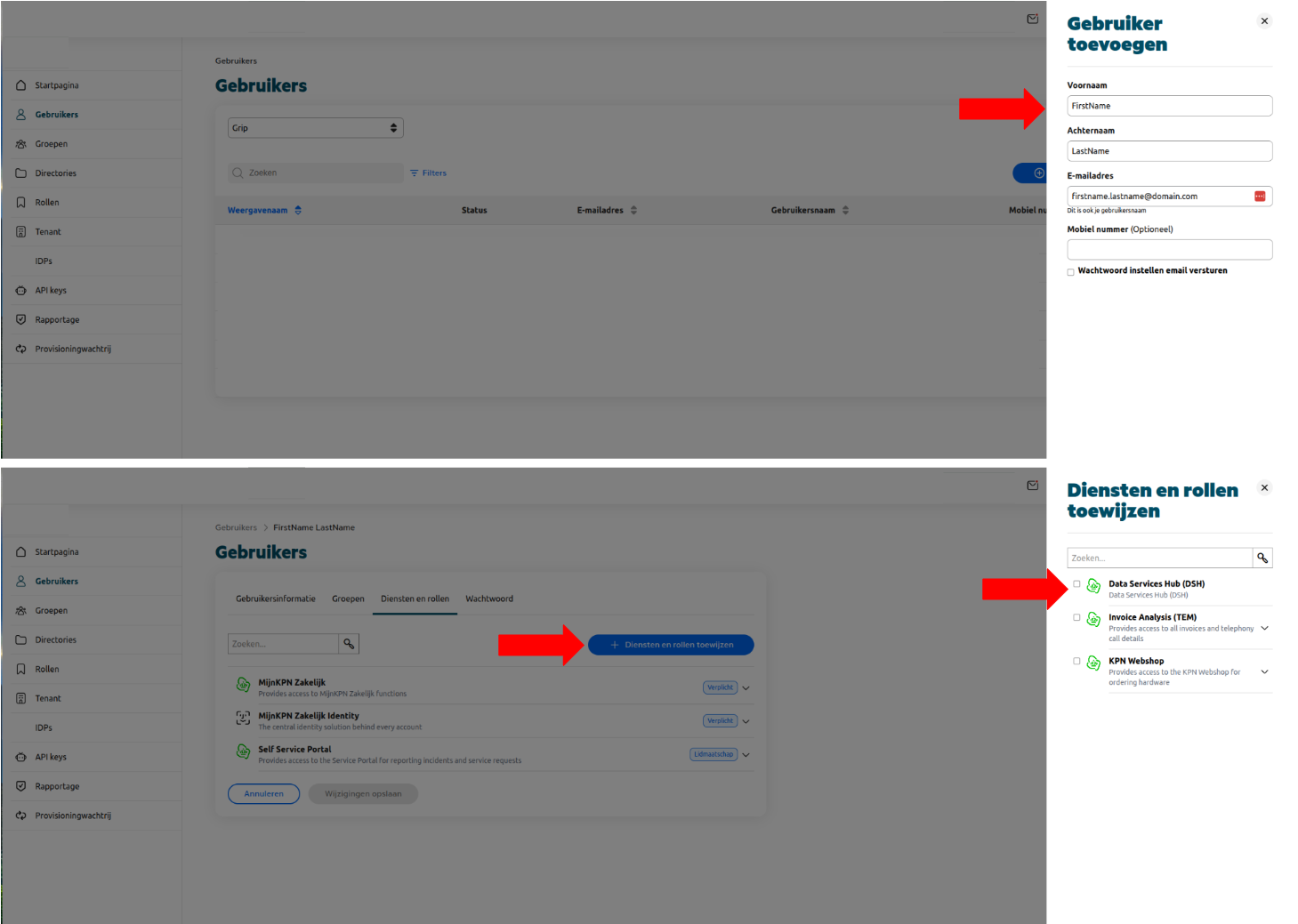
- Go to “Users” and add a new user
- Select the newly created user and go to the “Services and Roles” tab
- Click “Assign Services and Roles” and select Data Services Hub (DSH). You can optionally expand the dropdown menu to assign roles to the user. See “Roles and Tenant / Platform access” to understand how these work.
- Once the service has been assigned, the user should be able to log in with KPN-SSO when accessing the DSH.
Roles and Tenant / Platform access
Additionally, you can restrict user access to specific tenants within the DSH by creating and assigning roles within the Data Services Hub (DSH) service.
Tip
If no roles are added, users will have access to all tenants associated with your MyKPN Business Tenant ID. You can check your Tenant ID by going to Homepage > My Account > Personal Data > Technical Data.
Role naming conventions and access
Roles must use the following naming convention, where they are composed of a series of segments separated by colons (
:).
or
| Segment | Description |
|---|---|
| platform-name | If you have access to multiple DSH Platforms and you want to restrict access to only one of them. This is optional. |
| dsh-tenant-name | The name of the tenant to which access is granted. |
| level-access | Can be manage or view |
Warning
If a role is not properly formatted and assigned to a user, it will be ignored. A user with non valid roles only will get the default access associated to your MyKPN Business Tenant ID.
Creating new roles
Roles need to be created before assigning them to users. To create a new role:
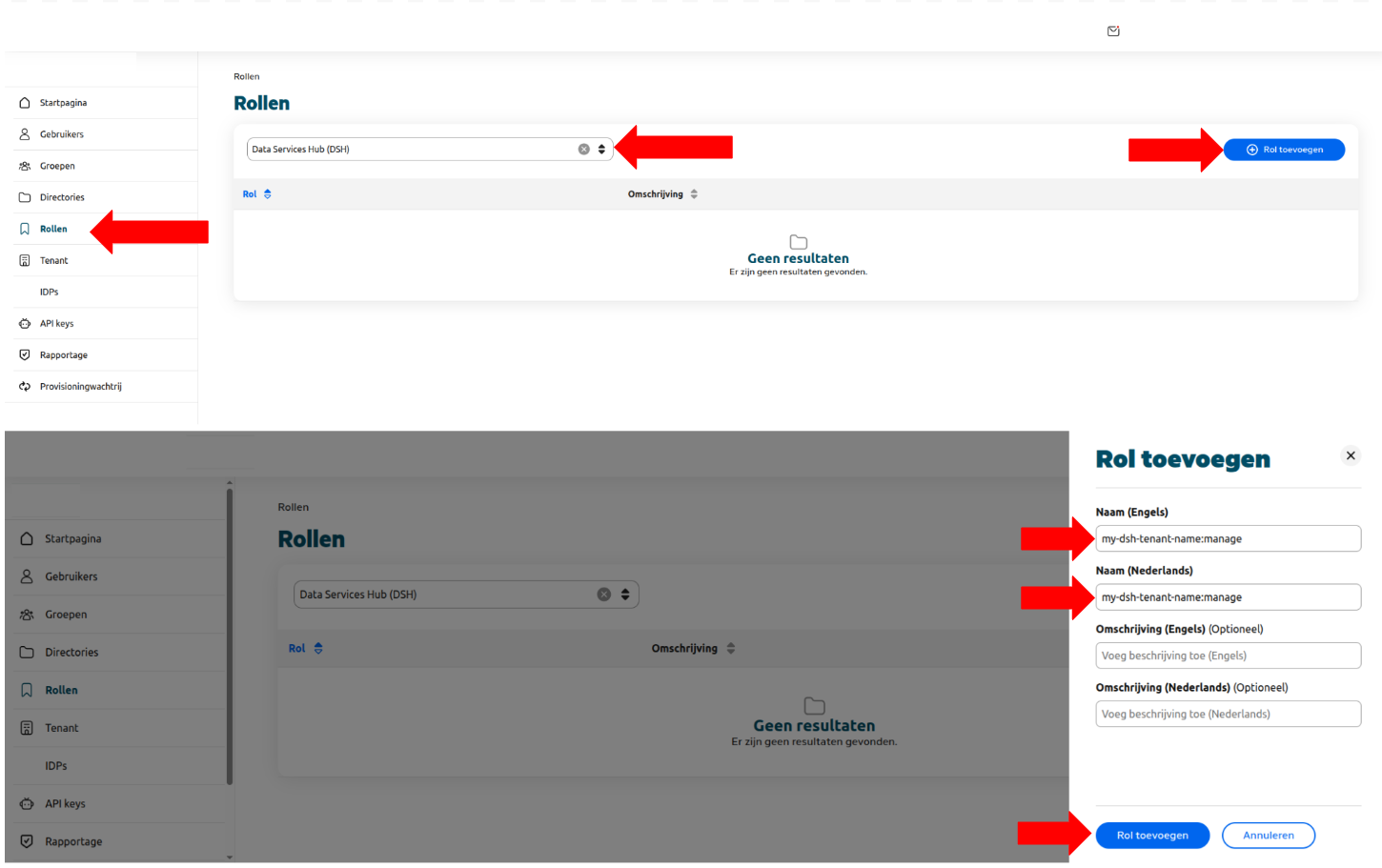
- Go to Roles
- Select Data Services Hub (DSH)
- Click “Add Role”
- Add the role name following the naming convention above (e.g.
mytenant:manage)
Assigning roles to Users
Once a role is created, it can be assigned to an existing user:
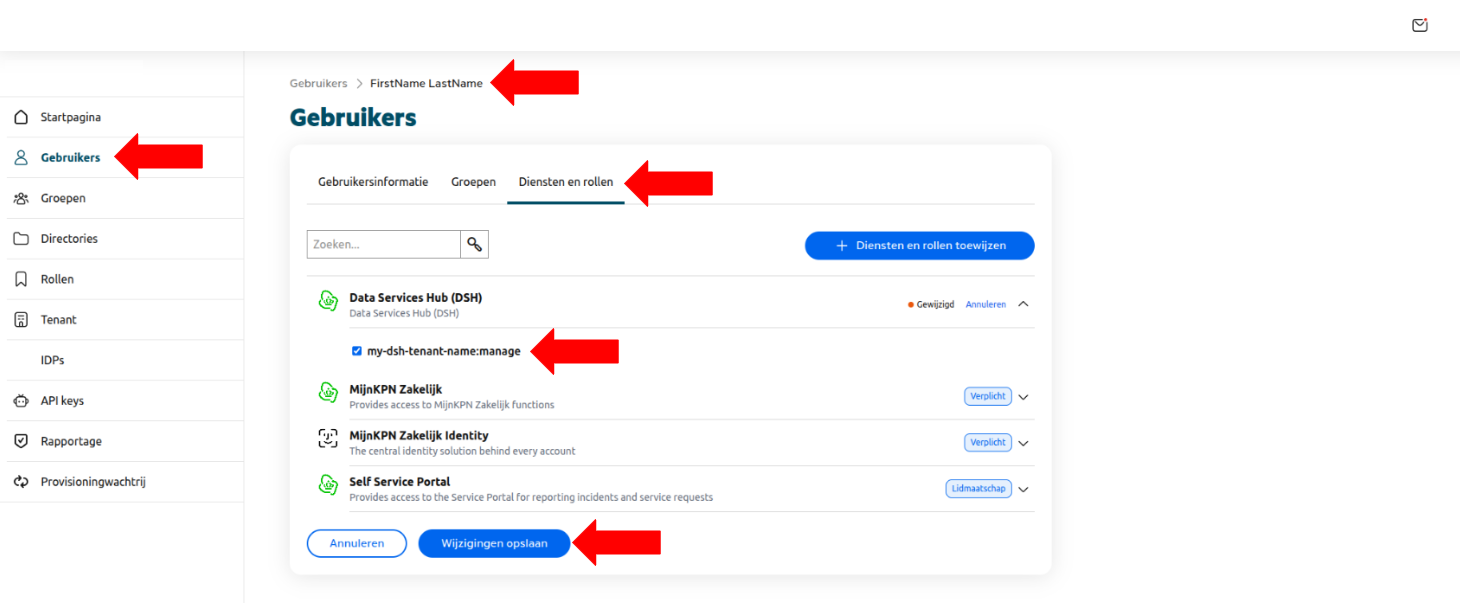
- Navigate to “Users”
- Go to the “Services and Roles” tab
- Click “Assign Services and Roles” and expand the “Data Services Hub (DSH)” dropdown
- Check the roles you want to assign to the user
- Click “Save Changes”
Tip
You can directly assign roles when assigning the “Data Services Hub (DSH)” service to a user. See the “Onboard users” section above.